Essential Tips for Optimizing Your Touch Display Experience at Home
In today's digital landscape, touch displays have become an integral part of our everyday lives, transforming how we interact with technology in our homes. Whether used for entertainment, communication, or productivity, optimizing your touch display experience can significantly enhance convenience and enjoyment. With the ever-growing reliance on these intuitive interfaces, it is essential to adopt best practices that maximize their functionality and performance.
To create an optimal touch display setup, one must consider various factors including placement, lighting, and user interaction techniques. Simple adjustments can lead to improved responsiveness and user satisfaction. Additionally, understanding the unique features and capabilities of your touch display can open up new possibilities for its use, making it not just a tool, but a central hub in your home environment. By implementing effective strategies, you can elevate your experience and fully leverage the potential of touch display technology.
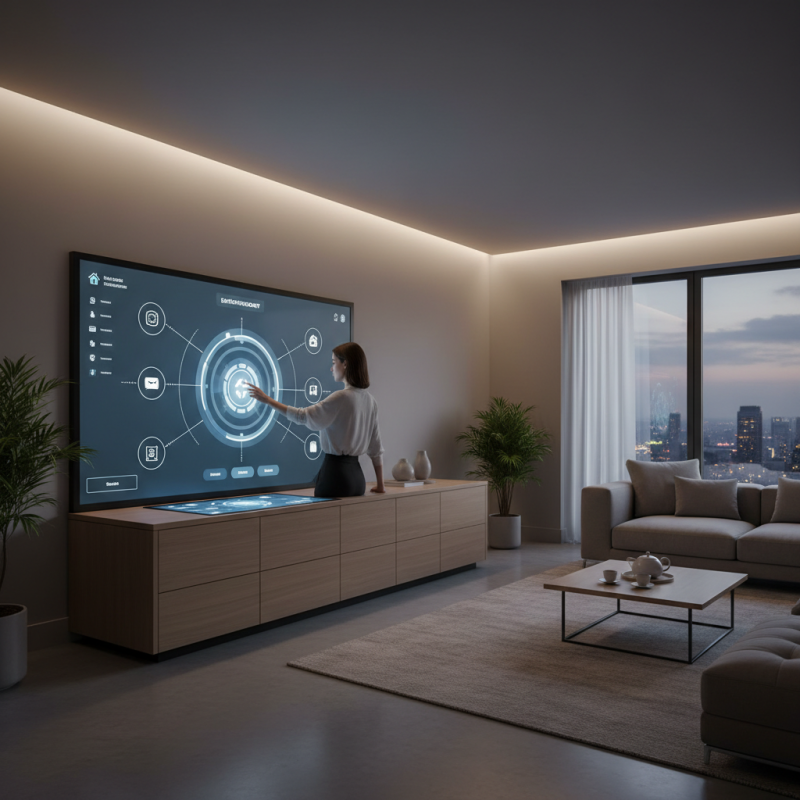
Understanding Touch Display Technology: How It Works and Its Benefits
Touch display technology has rapidly evolved, offering users an intuitive and interactive way to engage with their devices. At its core, this technology operates through capacitive or resistive touch sensors that detect finger movements and pressure, translating them into commands. The primary benefit of touch displays is their ability to create a seamless user interface, allowing for direct manipulation of content, which enhances efficiency and productivity. This immediacy makes touch displays ideal not just for entertainment but also for work and educational purposes.
To optimize your touch display experience at home, consider the environment where the display is used. Ensure adequate lighting to minimize glare, which can impede visibility and response accuracy. Additionally, keep the display clean and maintained; regular cleaning reduces smudges that can interfere with touch sensitivity. Another tip is to adjust the settings of your touch display for sensitivity and responsiveness according to your usage, catering to your preferences for a more personalized experience.
Moreover, incorporating gesture controls can significantly enhance your interaction with touch displays, simplifying navigation and making it more fluid. Familiarize yourself with the available gestures—such as swiping, tapping, and pinching—to unlock the full potential of your device. By understanding the technology behind your touch display and implementing these tips, you'll create a more enjoyable and efficient experience at home.
Essential Tips for Optimizing Your Touch Display Experience at Home
| Aspect |
Details |
| Screen Resolution |
1920 x 1080 pixels for clear visuals |
| Touch Sensitivity |
High sensitivity for responsive interactions |
| Display Type |
Capacitive touch displays for durability |
| Refresh Rate |
60Hz for smooth motion |
| Viewing Angles |
Wide viewing angles to accommodate multiple users |
| Connectivity Options |
HDMI, USB-C, and wireless for versatility |
| Operating System Compatibility |
Compatible with Windows, macOS, and Android |
| Energy Efficiency |
Designed for low power consumption |
| User Experience Features |
Multi-touch support and gesture controls |
| Maintenance Tips |
Regular cleaning and software updates |
Choosing the Right Touch Display Size for Your Home Environment
When choosing the right touch display size for your home environment, it's essential to consider both functionality and comfort. According to a report by the Consumer Electronics Association, the average size of household displays has increased over the past decade, with 65% of consumers now opting for larger screens between 55 inches to 75 inches. This trend reflects a growing preference for immersive experiences, especially for activities such as gaming and streaming. However, selecting the right size also depends on the space available and the distance from which the display will be viewed.
For optimal usage, experts recommend measuring your viewing area. For example, a general rule of thumb is to sit at a distance of 1.5 to 2.5 times the size of the display diagonal. So, for a 55-inch screen, the ideal seating distance is approximately 6.5 to 11.5 feet. This not only enhances the viewing experience but also prevents eye strain.
Tips for selecting the appropriate touch display size include assessing the layout of the room, taking into account furniture placement, and ensuring that the screen complements other devices. Additionally, considering multi-use functions can help you choose a size that accommodates various activities without overwhelming your space. Balancing aesthetics and practicality will ultimately lead to a better overall touch display experience in your home.
Adjusting Settings for Optimal Touch Responsiveness and Accuracy
When it comes to optimizing your touch display experience at home, making the right adjustments to your settings can significantly enhance responsiveness and accuracy.
Begin by adjusting the touch sensitivity. Most devices allow you to increase or decrease the sensitivity, which can help in minimizing accidental touches or enhancing responsiveness when you use lighter taps.
This is particularly useful if you often use your display with a stylus or your fingers.
Another key aspect is the calibration of your touch display. This involves defining how your device interprets your touches.
Access the settings menu to find the calibration option, and follow the instructions to perfectly align your touch inputs with the display.
A well-calibrated screen not only boosts accuracy but also reduces frustration, making your interactions smoother.
Lastly, consider optimizing the display settings such as brightness and contrast.
A screen that is too bright or dim can impact visibility and touch accuracy. Adjusting these settings can improve your overall experience, making it easier to see what you're touching and enhancing finger precision.
Implementing these tips will create a more enjoyable and efficient environment for using your touch display at home.
Implementing Regular Maintenance to Enhance Longevity and Performance
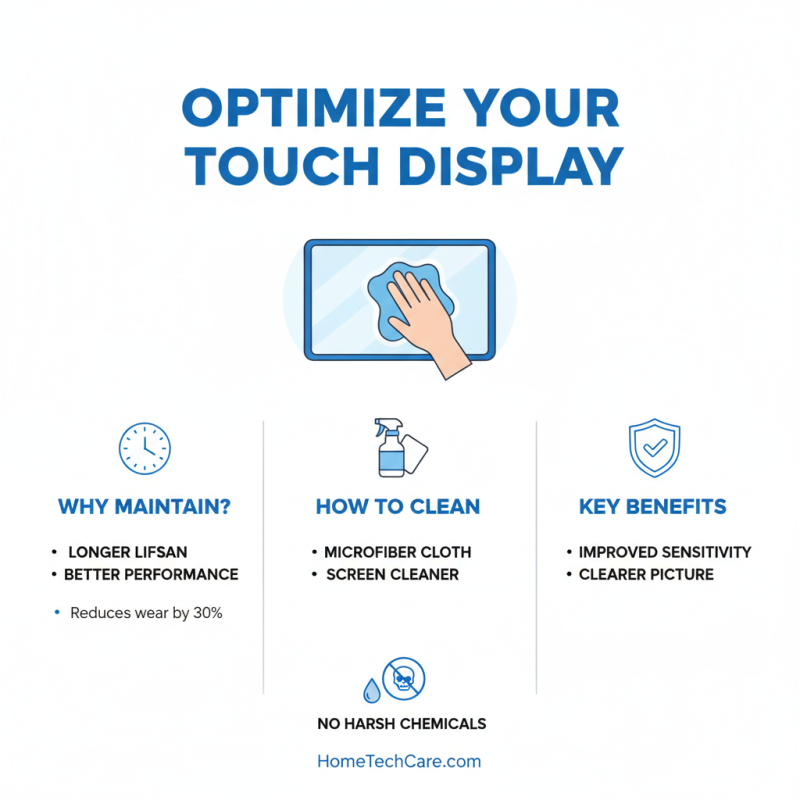
Regular maintenance is crucial for the longevity and performance of touch displays in home environments. According to a study by the Consumer Electronics Association, improper upkeep can reduce the lifespan of electronic devices by up to 30%. To optimize your touch display, it’s essential to implement a consistent cleaning routine. Use a microfiber cloth and a suitable screen cleaner to wipe down the display. Avoid harsh chemicals, which can damage the screen’s coating and reduce touch sensitivity.
Additionally, ensuring that software updates are regularly installed can significantly enhance functionality. A report from the International Data Corporation indicates that 40% of touchscreen issues stem from outdated software. Regularly updating the operating system not only resolves potential bugs but also improves overall performance. Furthermore, calibrating the touch settings periodically can fine-tune responsiveness, providing a smoother user experience. Integrating these maintenance practices can help extend the lifespan of your touch display while ensuring it operates at peak performance.
Best Practices for Integrating Touch Displays into Your Smart Home Setup
Integrating touch displays into your smart home setup can significantly enhance your experience by providing intuitive control over various devices.
To begin, it's important to assess the layout of your home and the functions you want your touch display to serve. Positioning the display in a central location can maximize its accessibility, allowing you to easily manage lighting, security systems, and media playback from a single interface.
Consider the size and resolution of the touch display, ensuring that it fits well in your designated space and delivers clear visuals for tasks such as video calls or cooking tutorials.
Another best practice is to streamline the user interface by customizing the touch display to include only the most relevant apps and functionalities you frequently use.
Organizing these applications into intuitive folders or panels can help you access them quickly and efficiently.
Furthermore, utilizing voice control alongside your touch display can provide a hands-free option for managing your smart home.
This dual approach not only saves time but also enhances the overall functionality of your setup, making home automation an effortless task.
By embracing these strategies, you can create a cohesive and user-friendly smart environment that enhances your daily life.





















 Screen Size Calculator